You may have opened a text conversation and noticed words like “RCS message,” “RCS chat,” or “sent via RCS.” If you are used to seeing SMS or iMessage, the term can seem confusing at first. Does it mean the message is different? Is it more secure? Does it cost extra? And why does it sometimes appear when texting someone with a different type of phone?
So, what does RCS message mean?
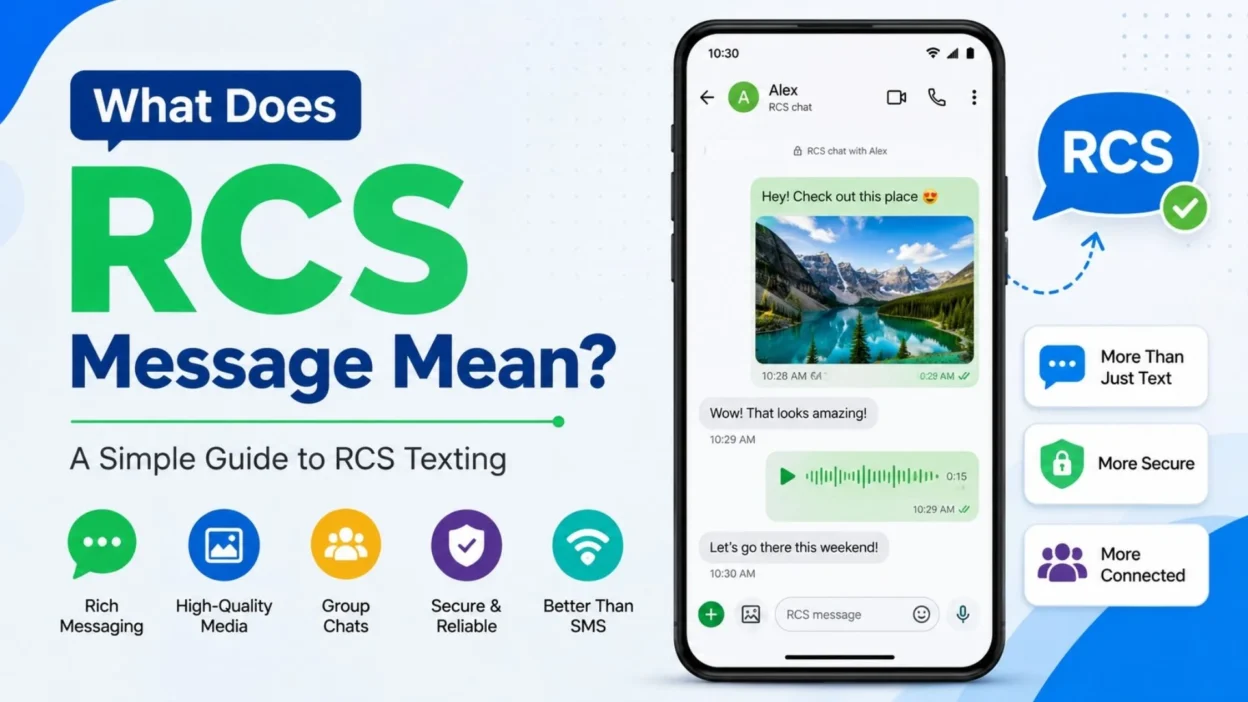
RCS stands for Rich Communication Services. It is a modern messaging standard designed to provide more features than traditional SMS and MMS. Instead of relying only on the older cellular texting system, RCS can use Wi-Fi or mobile data to deliver messages and supports features such as high-resolution photos and videos, typing indicators, read receipts, and richer group conversations.
For most people, the easiest way to think about RCS is simple: it is a more feature-rich version of traditional texting.
This guide explains what RCS means in plain English, how it works, what you can expect on Android and iPhone, whether RCS is private, why a message may switch between RCS and SMS, and what the different message indicators actually tell you.
What Does RCS Message Mean?
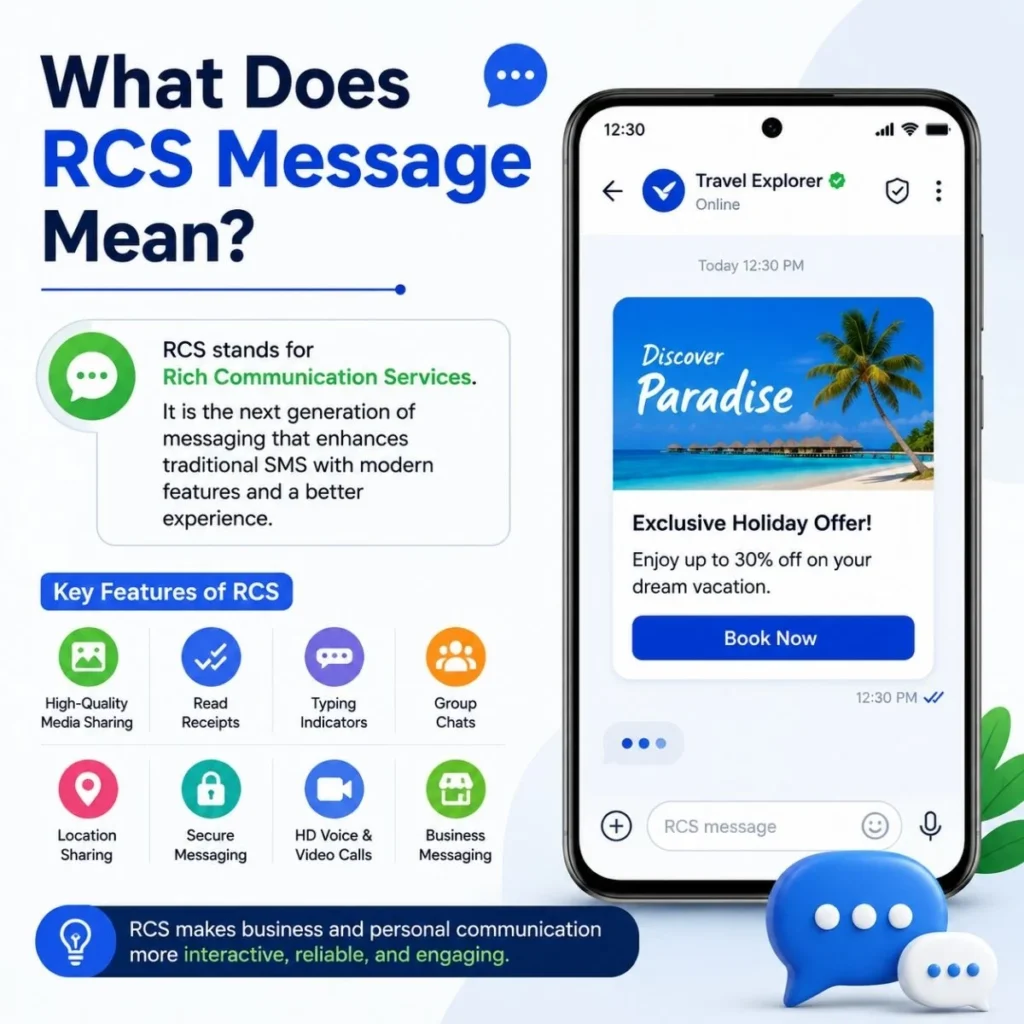
RCS message means a text sent using Rich Communication Services rather than traditional SMS or MMS.
Google describes RCS as a modern standard that enables a richer messaging experience than SMS and MMS.
With RCS enabled and supported by the people in the conversation, you may be able to:
- Send high-resolution photos and videos.
- Send messages using Wi-Fi or mobile data.
- See when someone is typing.
- Receive delivery and read receipts.
- Participate in more capable group chats.
- Share files and links more effectively.
- Use additional messaging features supported by your messaging app and carrier.
In other words, when your phone says RCS message, it generally means your conversation is using the newer internet-based messaging system rather than falling back to conventional SMS or MMS.
The important word is “supported.” RCS does not work identically for everyone. Availability depends on the phone, messaging app, carrier, region, and whether the other participants have RCS available and enabled.
What does RCS stand for?
RCS stands for Rich Communication Services.
Each word describes what the standard is trying to accomplish:
- Rich — It supports more than basic text.
- Communication — It is designed for person-to-person and business messaging.
- Services — It provides a broader set of messaging capabilities than traditional SMS.
You do not need to understand the technical standard to use it. If your messaging app says that you are chatting through RCS, you can generally treat it as enhanced texting.
How Does RCS Messaging Work?
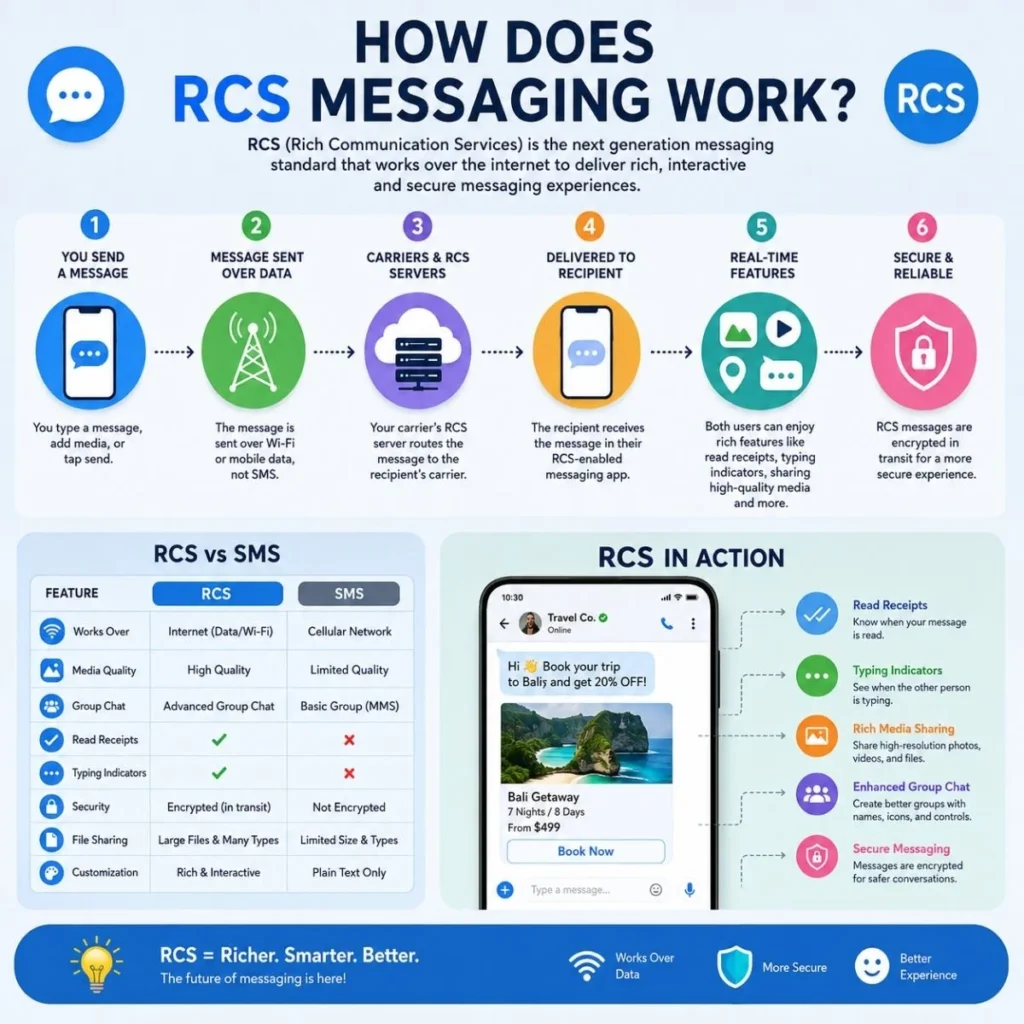
Traditional SMS was designed for simple text messages sent through a mobile carrier. MMS expanded that system to support multimedia, but it still has limitations compared with modern internet messaging.
RCS takes a different approach. RCS messages can travel using an internet connection, including Wi-Fi or mobile data, rather than being limited to traditional SMS delivery.
Imagine you send a photo to a friend.
With basic SMS/MMS, the phone may use the carrier’s conventional messaging system. With RCS, the conversation can use the RCS service supported by your device, carrier, and messaging platform.
That makes it possible to support features such as:
Typing indicators: You can see when the other person is composing a reply.
Read receipts: Depending on the settings and supported conversation, you can see whether a message has been read.
High-resolution media: Photos and videos can be shared at higher quality than traditional MMS allows.
Group chat features: Supported RCS conversations can provide more flexible group-chat controls.
Google notes that everyone in an RCS conversation needs RCS enabled to receive the full RCS experience. If RCS is unavailable, messaging may fall back to SMS or MMS depending on the circumstances and settings.
That fallback is one reason you may see different labels in the same messaging app.
RCS vs. SMS: What’s the Difference?
The simplest distinction is this:
SMS is traditional texting. RCS is enhanced texting.
SMS was created primarily for short text messages. RCS was designed to bring richer features to phone-number-based messaging.
FeatureSMSRCSBasic textYesYesHigh-resolution photos and videosLimitedSupportedTyping indicatorsNoSupportedRead receiptsNoSupportedWi-Fi messagingNot as an SMS transportYesMobile dataNo, as SMS transportYesRicher group chat featuresLimitedSupportedInternet-based messagingNoYes
RCS therefore feels more like a modern chat service while still working through your regular messaging experience.
However, RCS is not simply “free SMS.” It uses Wi-Fi or mobile data. If you are using mobile data, your carrier’s normal data terms apply. Google says RCS generally does not involve an additional messaging charge, although mobile-data charges can apply depending on your plan.
RCS vs. MMS: What’s Different?
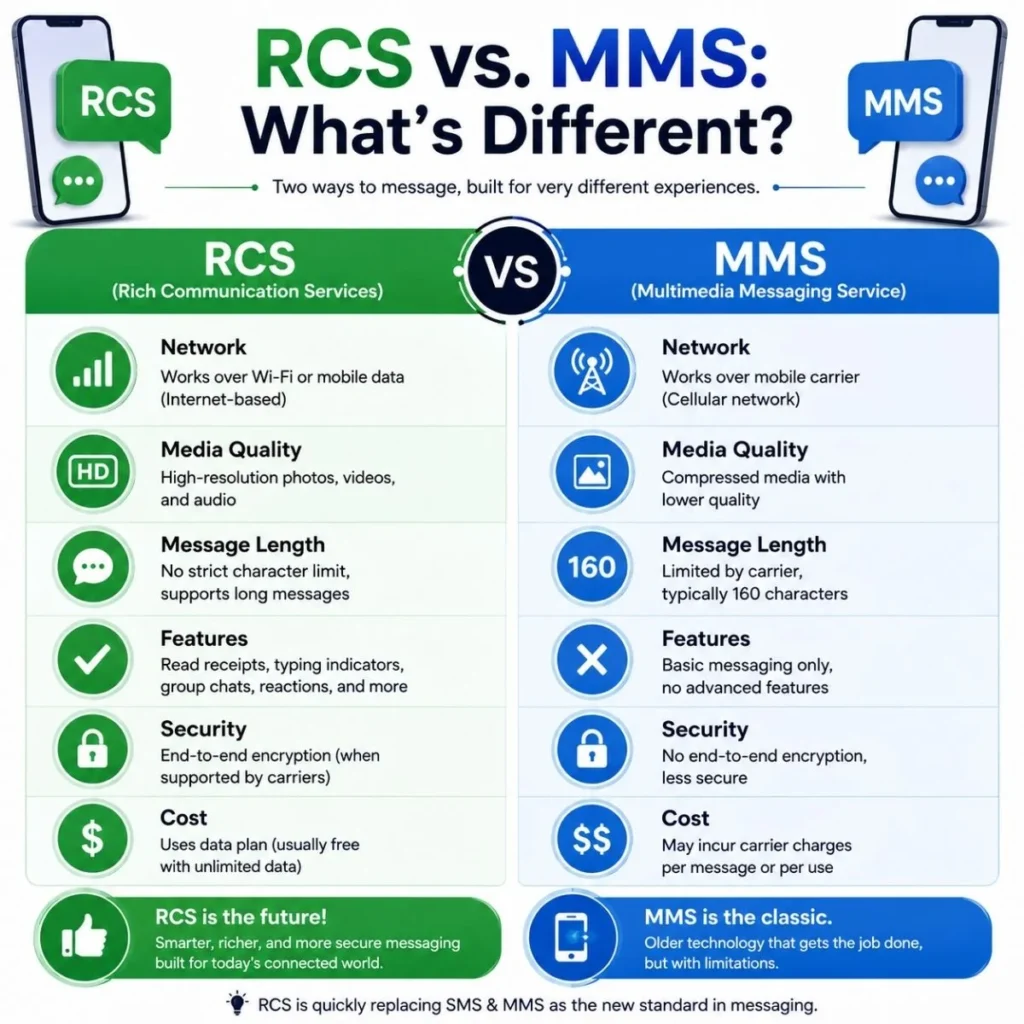
MMS stands for Multimedia Messaging Service. It was introduced to make traditional texting capable of handling things such as pictures and group messages.
RCS goes considerably further.
MMS can send multimedia, but the experience is generally less sophisticated. RCS can support high-resolution media, typing indicators, read receipts, richer group conversations, and internet-based delivery.
For example, suppose a friend sends you a photo.
If the conversation is using MMS, you might receive a compressed image through the traditional multimedia messaging system.
If the conversation is using RCS, the same type of conversation can support higher-quality media and additional chat features.
That does not mean every RCS conversation automatically has every possible feature. Your phone, carrier, messaging app, region, and the recipient’s setup all matter.
RCS vs. iMessage: Are They the Same?
No. RCS and iMessage are different messaging technologies.
iMessage is Apple’s messaging service. RCS is an industry messaging standard supported by carriers, device makers, and messaging platforms.
The distinction became especially noticeable when Apple began supporting RCS messaging on iPhone. Apple explains that RCS messages on iPhone can include texts, high-resolution photos and videos, links, delivery receipts, read receipts, and typing indicators. RCS messages appear as green bubbles on an iPhone.
So if an iPhone user is texting an Android user, the conversation may use RCS when both sides and their carriers support it.
That is different from iMessage, which remains Apple’s own messaging service.
A useful way to remember it is:
- iMessage: Apple’s messaging system.
- RCS: A cross-platform messaging standard.
- SMS: Traditional text messaging.
- MMS: Traditional multimedia messaging.
RCS is therefore not another name for iMessage. It is an alternative messaging technology that can make texting between different devices more capable.
What Does RCS Mean on Android?
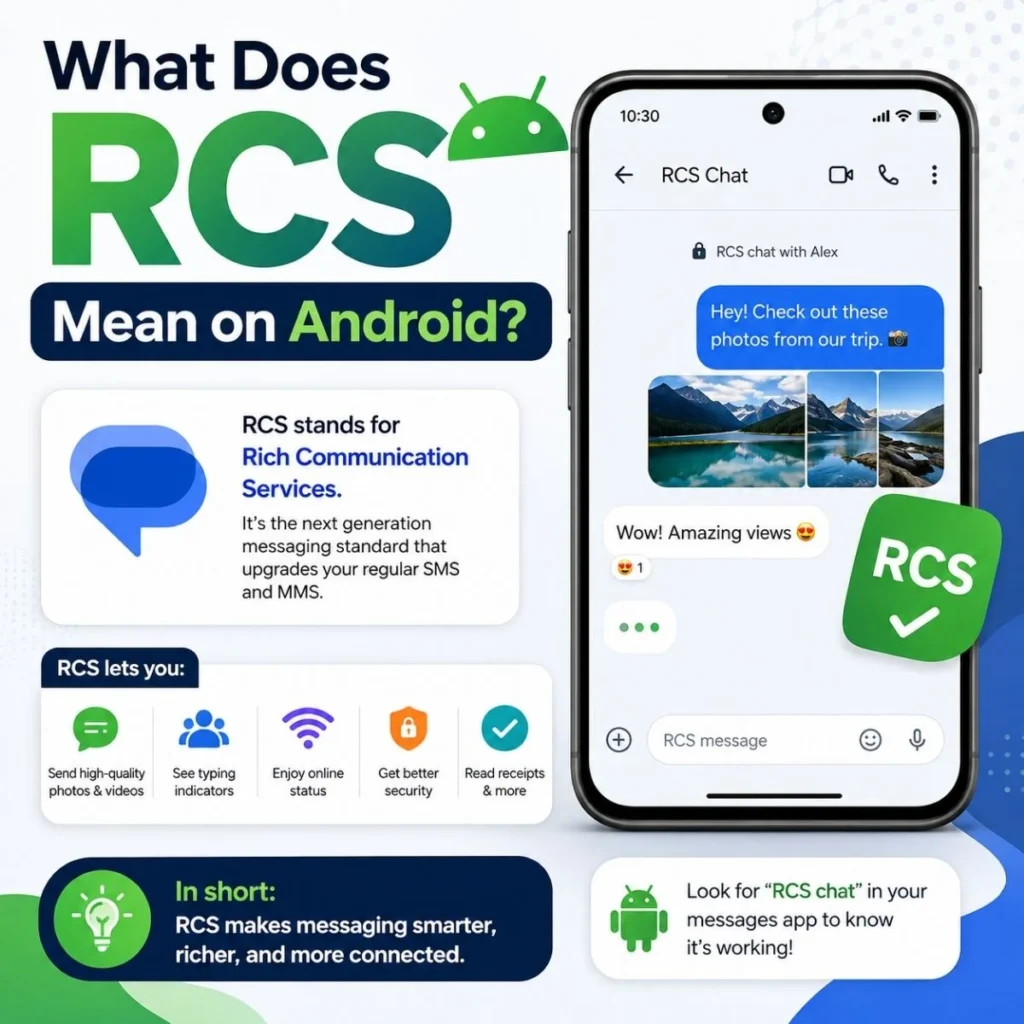
On Android, seeing RCS usually means your messaging app is using Rich Communication Services for that conversation.
In Google Messages, you can check your RCS status through the app’s settings. Google lists statuses such as Connected, Connecting, and Not supported.
When RCS is working, you can use features such as:
- Read receipts.
- Typing indicators.
- High-quality photo and video sharing.
- Wi-Fi messaging.
- Mobile-data messaging.
- Enhanced group-chat functionality.
Google Messages also provides end-to-end encryption for eligible RCS conversations between Google Messages users when the required conditions are met.
This is an important detail: not every RCS conversation automatically has the same encryption setup.
The security features available can depend on who is participating, which messaging service they use, and the providers involved.
How to check RCS on Android
In Google Messages:
- Open Google Messages.
- Tap your profile picture or account icon.
- Open Messages settings.
- Tap RCS chats.
- Check whether RCS is connected or available.
Google also notes that some versions or devices may use the term Chat features instead of RCS chats.
If you cannot find the option, RCS may not be available through your device or carrier.
What Does RCS Mean on iPhone?
On an iPhone, RCS allows you to send enhanced text messages when you are not using iMessage and when RCS is supported by your carrier and setup.
Apple says RCS messages can be sent to non-Apple devices and can include high-resolution photos and videos, links, delivery receipts, read receipts, and typing indicators. They appear as green text bubbles.
This means a green bubble does not necessarily tell you that a conversation is using old-fashioned SMS.
On supported iPhones, a green-bubble conversation could be:
- SMS,
- MMS, or
- RCS.
The exact messaging technology depends on the circumstances.
To check the RCS setting on supported iPhones, Apple provides this path:
Settings → Apps → Messages → RCS Messaging
Apple notes that RCS is a network-provided service and availability can depend on your carrier.
What Do RCS Read Receipts Mean?
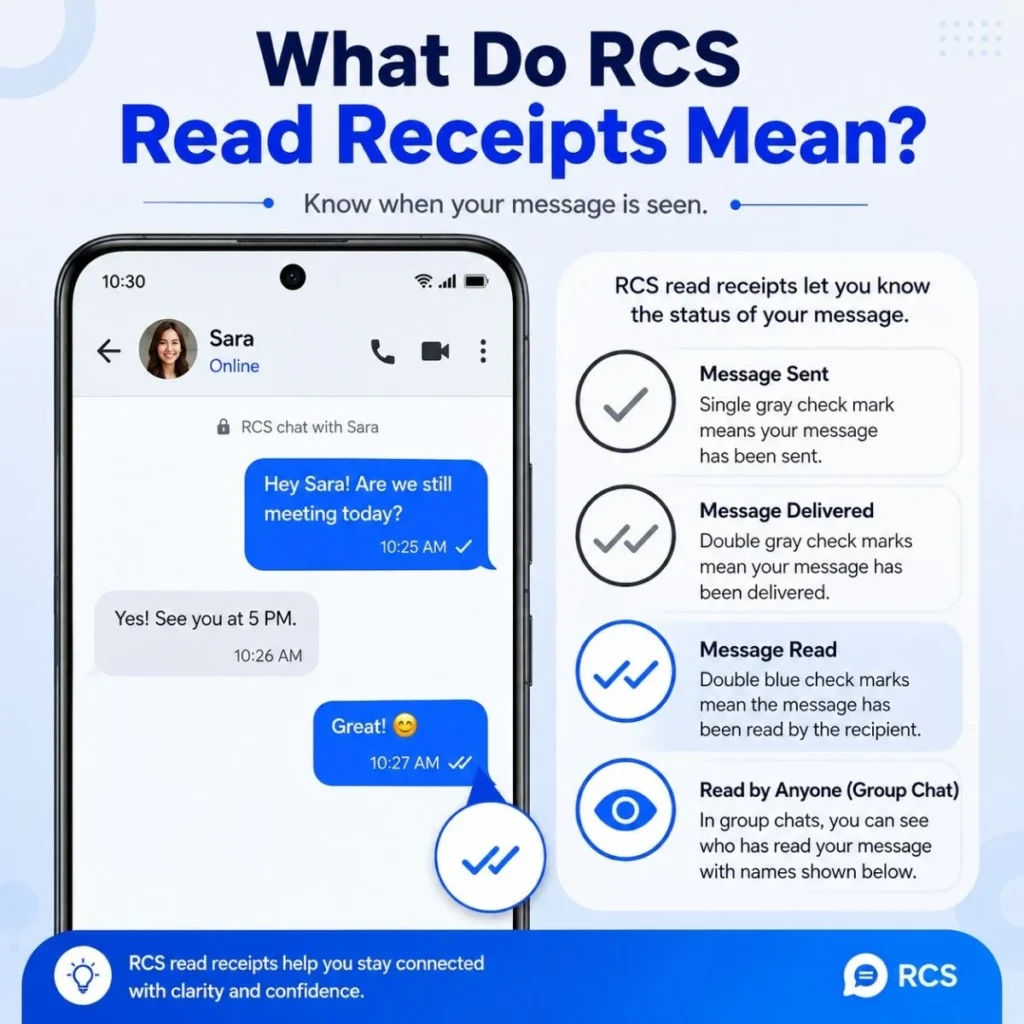
One of the most noticeable RCS features is the ability to use read receipts.
A read receipt can tell you that the recipient has opened or read your message, depending on the messaging system’s terminology and implementation.
This is different from traditional SMS, which generally does not provide the same built-in read-status experience.
However, a read receipt does not mean someone is obligated to respond.
If you see that a message has been read and the person has not replied, there are countless ordinary explanations. They could be busy, thinking about their response, distracted, or simply not ready to answer.
RCS gives you more information about message status, but it does not tell you someone’s intentions.
On Google Messages, read receipts can be controlled in RCS settings, and the other person’s settings affect whether you can see when they have read your message.
What Does the RCS Typing Indicator Mean?
If you see moving dots or a typing indicator while texting, it usually means the other person is currently composing a message.
This is another feature that traditional SMS does not provide in the same way.
Typing indicators can make a conversation feel more immediate because you know the other person is actively responding.
But just like read receipts, typing indicators should not be overinterpreted.
Someone can start typing, stop, delete the draft, and never send anything. A typing indicator tells you about an activity, not what the person ultimately intends to say.
Google lists typing indicators as one of the standard features available in supported RCS conversations.
Does RCS Use Wi-Fi or Mobile Data?
Yes. RCS messages can use Wi-Fi or mobile data.
This is one of the major differences between RCS and traditional SMS.
If you are connected to Wi-Fi, an RCS conversation can use that internet connection. If you are away from Wi-Fi, it can use mobile data when available.
Google explains that RCS messages are sent over Wi-Fi and mobile data, while the cost of mobile-data use depends on your data plan.
So if someone asks, “Does RCS cost money?” the practical answer is:
RCS usually does not have a separate per-message fee, but it can use your internet data.
Your carrier’s terms still matter, particularly when traveling or using a plan with limited data.
Why Did My Message Change From RCS to SMS?
This can happen when RCS is unavailable.
For example, the recipient might:
- Turn off RCS.
- Lose their internet connection.
- Use a device or carrier that does not support RCS.
- Change messaging apps.
- Experience a temporary RCS connection problem.
- Be in a region where RCS support is limited.
Google’s documentation explains that if RCS is unavailable, messages may be sent through SMS or MMS depending on the available settings.
This is sometimes called fallback.
Think of it as your phone saying, “The richer messaging route is unavailable, so I’ll use a traditional texting method instead.”
That can be useful because the conversation may continue rather than simply failing.
However, features such as typing indicators, read receipts, or high-quality media may not work the same way once the conversation falls back to SMS or MMS.
Is RCS Secure?
RCS security is more complicated than simply saying “RCS is secure” or “RCS is not secure.”
Different RCS implementations can have different security properties.
For example, Google states that RCS conversations between Google Messages users can be automatically protected with end-to-end encryption when the required conditions are met. Google also explains that encryption is not available for SMS or MMS.
Cross-platform RCS is a separate consideration.
Google notes that RCS conversations between Google Messages and iPhone users do not currently have the same end-to-end encryption protection provided for eligible Google Messages-to-Google Messages conversations.
Apple has also introduced support for end-to-end encrypted RCS messaging in beta with supported providers, with availability depending on network support and rollout.
The practical takeaway is simple:
Do not assume every RCS conversation has identical encryption.
If privacy is especially important, check what your messaging app and carrier say about encryption for the specific conversation you are using.
Can You Send Photos and Videos With RCS?
Yes. High-resolution photos and videos are one of RCS’s most useful advantages.
Traditional MMS was not designed for today’s large, high-quality media files. RCS provides a more modern way to share photos, videos, files, and links through supported conversations.
For example, if you send a vacation photo through an RCS conversation, you may be able to preserve much more detail than you would through a traditional MMS message.
This is particularly helpful when:
- Sharing photos with family.
- Sending videos to friends.
- Sharing screenshots.
- Sending documents or files.
- Exchanging links.
- Participating in group conversations.
Actual limits and quality can still vary by messaging app, carrier, device, and file type.
Does RCS Work Between Android and iPhone?
Yes, RCS messaging can work between Android phones and iPhones when supported by the devices, carriers, and region.
This has made cross-platform texting more capable than it used to be.
Google says RCS is now available for texting between Android and iPhones, while Apple documents RCS support on iPhone for supported networks.
An Android user can therefore have an RCS conversation with an iPhone user without either person necessarily switching to a separate messaging app.
Supported features can include:
- High-resolution photos and videos.
- Typing indicators.
- Delivery receipts.
- Read receipts.
- Group-chat improvements.
There are still differences between platform implementations, so you should not assume that an Android-to-iPhone RCS conversation behaves exactly like an RCS conversation between two users on the same messaging platform.
Why Does RCS Sometimes Say “Connected” or “Connecting”?
If you use Google Messages, you may see an RCS status.
Connected means RCS is available for your phone and can be used with supported contacts.
Connecting generally means the phone is trying to complete or verify the RCS connection.
If you see a persistent connection problem, possible causes include network issues, carrier support, number verification problems, or an RCS configuration issue.
Google specifically recommends waiting if number verification is in progress and provides troubleshooting steps if connection problems continue.
If RCS suddenly stops working, do not immediately assume your phone is broken. Temporary connectivity or carrier-related issues can affect the service.
How to Turn RCS On or Off
The exact steps depend on your phone.
On Android
For Google Messages, the usual path is:
Google Messages → Profile picture → Messages settings → RCS chats
From there, you can check your RCS status and adjust available RCS settings.
You can also control options such as read receipts and typing indicators.
Google cautions that repeatedly turning RCS on and off is not recommended because doing so can affect group-chat participation.
On iPhone
On supported iPhones, Apple provides this path:
Settings → Apps → Messages → RCS Messaging
You can then turn RCS messaging on or off if the option is available through your carrier.
If you do not see an RCS option, that does not necessarily indicate a problem with your phone. RCS availability is dependent on carrier and regional support.
RCS Messages With Businesses
Businesses can also use RCS to provide richer customer interactions. Google describes business RCS experiences that can include branded business information, verified business identities, product catalogs, photos, videos, files, suggested actions, and order or customer-service interactions.
For example, an RCS business conversation could potentially let you:
- Track an order.
- Receive appointment information.
- View a product catalog.
- Contact customer support.
- Receive travel or delivery updates.
- Interact with buttons or suggested responses.
When available, verified business conversations can display business branding and a verification checkmark.
This is one reason RCS is becoming more than simply a replacement for ordinary texting.
How to Tell Whether a Message Is RCS
The exact wording depends on your phone and messaging app.
On Android, Google Messages may identify the conversation as an RCS chat and provide RCS-specific controls.
On iPhone, RCS messages appear in green bubbles, just like other non-iMessage messages. Apple specifically notes that green bubbles can represent RCS as well as SMS or MMS.
Other clues may include:
- A typing indicator.
- Read receipts.
- Delivery information.
- High-resolution media sharing.
- An RCS or chat label.
- RCS-specific settings in your messaging app.
The most reliable method is to check your messaging app’s conversation details or RCS settings rather than guessing from the color of the message bubble alone.
Common Questions About RCS Messages
Is RCS the same as texting?
RCS is a form of texting, but it is more advanced than traditional SMS. It supports features such as typing indicators, read receipts, high-resolution media, and internet-based messaging.
Does RCS mean someone is using an iPhone?
No. RCS is not an iPhone-only feature. It is supported on Android and, where carrier and regional support is available, on iPhone as well.
Does RCS mean my message was delivered?
Not necessarily just because you see the word RCS. RCS identifies the messaging method. Delivery status is a separate piece of information and depends on the messaging service and conversation.
Can I use RCS without Wi-Fi?
Yes. RCS can use mobile data when Wi-Fi is unavailable. Your carrier’s data-plan terms still apply.
Does RCS work internationally?
RCS availability varies by carrier and region. When traveling, whether it works and how data is charged can depend on your carrier and mobile plan.
Can I turn RCS off?
Usually, yes, if your device and messaging service provide the option. On Google Messages, RCS can be managed under Messages settings. On supported iPhones, Apple provides an RCS Messaging setting under Messages.
Final Thoughts: What Does RCS Message Mean?
So, what does RCS message mean? In simple terms, it means your text conversation is using Rich Communication Services, a newer messaging standard designed to make ordinary phone-number texting more capable.
Instead of basic text alone, RCS can provide features such as high-resolution photos and videos, typing indicators, read receipts, Wi-Fi and mobile-data messaging, and improved group-chat experiences.
It is not the same as iMessage, SMS, or MMS, although it can serve a similar everyday purpose: helping people communicate through their phones.
If you see RCS in a conversation, you generally do not need to do anything special. Your messaging app and carrier are handling the technical side in the background. Just remember that available features depend on the devices, carriers, messaging services, and settings involved.
The biggest advantage of RCS is that it brings many modern chat features into the familiar texting experience. Whether you are sending a quick “Are you home yet?”, sharing vacation photos with family, or chatting across Android and iPhone, RCS can make traditional texting feel much more like the messaging apps people already use every day.

Muhammad Sarfraz is a content creator and author at Message Ideas Daily, passionate about creating heartfelt, practical, and meaningful message ideas that help people express their feelings and connect with others.