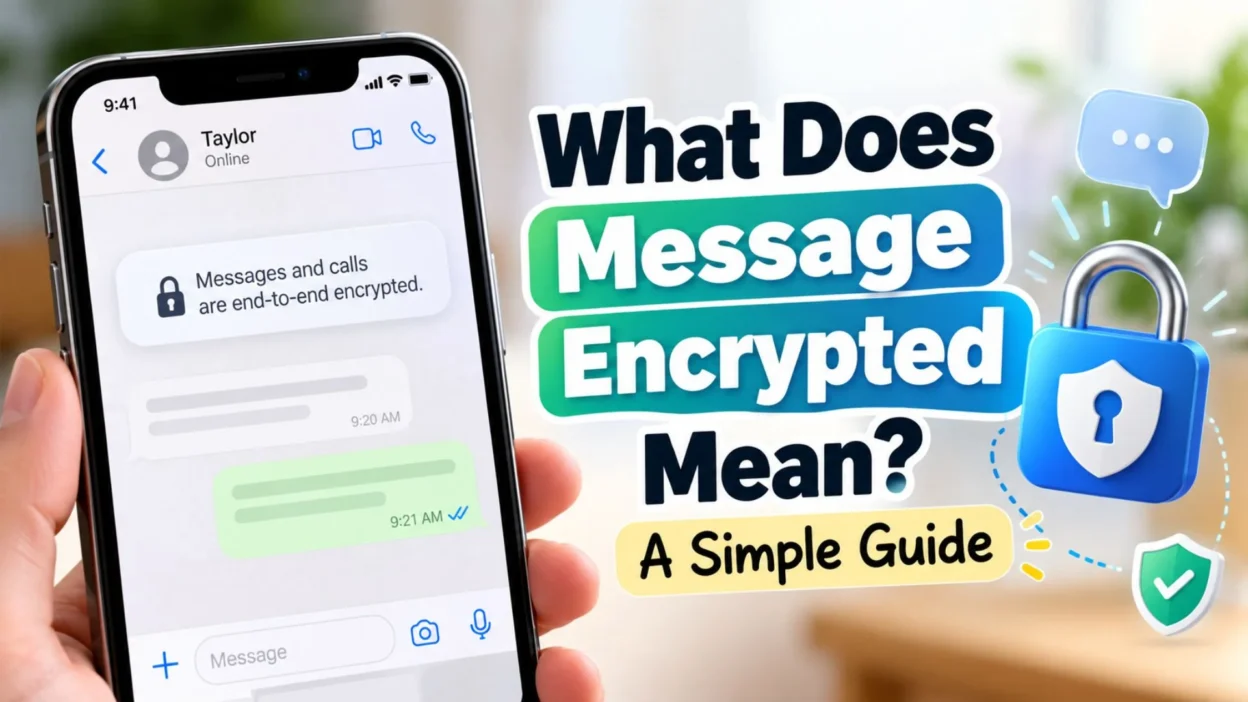
You may have opened a chat and noticed a message saying that your conversation is encrypted, or perhaps you’ve seen a notice about end-to-end encryption and wondered what it actually means. The wording can sound technical, but the basic idea is surprisingly simple.
When a message is encrypted, its readable content is transformed into a protected form so that unauthorized people cannot simply intercept it and read what you sent. With end-to-end encryption, the protection is designed so that the message can be read by the intended participants in the conversation, rather than by the service carrying the message.
For example, WhatsApp says that personal messages and calls are protected with end-to-end encryption, meaning people outside the chat—including WhatsApp itself—cannot read or listen to that content. Apple similarly describes iMessage as an end-to-end encrypted messaging service.
But encryption does not mean that a message is completely impossible to access under every circumstance. The recipient can still see it, save it, screenshot it, forward it, or share it. Encryption protects the communication while it is being handled by the messaging system; it does not remove the recipient’s ability to use the information.
So, what does message encrypted mean in everyday language? It generally means your message has been protected using encryption so that its contents are not exposed to unauthorized parties while being transmitted or stored within the messaging system.
Let’s break that down without complicated technical language.
What Does “Message Encrypted” Mean?
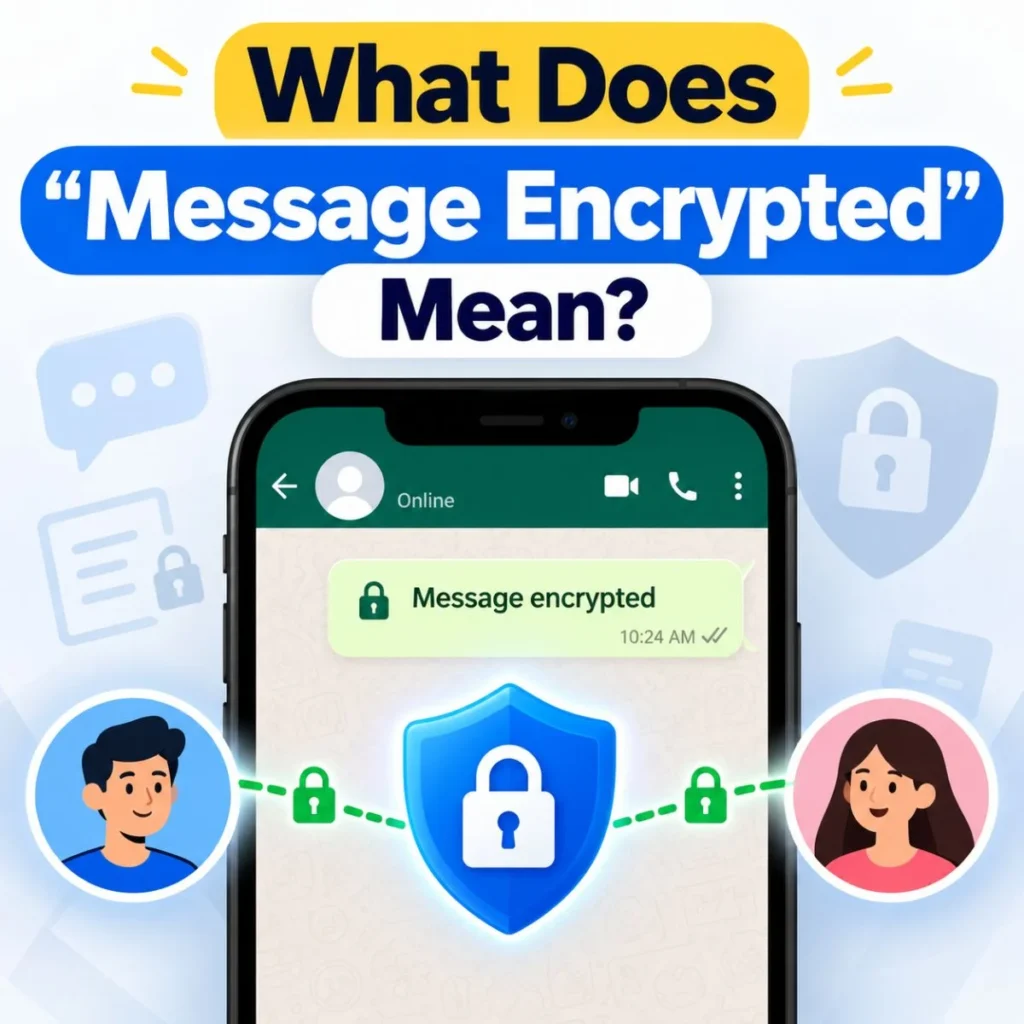
Think of encryption as putting your message inside a special digital lockbox.
Suppose you type:
“I’ll meet you at 7 PM.”
Your phone doesn’t necessarily send those readable words across the communication system in plain form. Encryption uses mathematical techniques to transform the information into protected data.
The intended recipient’s device can then use the appropriate cryptographic information to turn that protected data back into the original message.
In a simple sense:
Readable message → encryption → protected data → decryption → readable message
The important point is that encryption is designed to prevent someone who isn’t authorized from simply reading the message during transmission.
Modern messaging systems can use different types of encryption, so the exact technical process varies between services. For example, Apple’s documentation describes iMessage as using encryption mechanisms and device-specific keys to protect messages.
When an app specifically says your conversation is end-to-end encrypted, the meaning is more specific.
The message is protected between the communicating endpoints—normally the sender’s and recipient’s devices—so the messaging provider isn’t supposed to have access to the readable message content.
WhatsApp explicitly states that personal messages are end-to-end encrypted and that WhatsApp cannot see the content of those personal messages.
What Is End-to-End Encryption?
End-to-end encryption (E2EE) is one of the most important terms to understand when asking what does message encrypted mean.
Imagine sending a locked package from your house to a friend’s house.
The package passes through a delivery network. The delivery company transports it, but ideally cannot open the package and read its contents.
End-to-end encryption follows a similar concept digitally.
Your message is encrypted before it leaves your device. It remains protected while being transmitted, and the intended recipient’s device is able to decrypt it.
That’s why the phrase “end-to-end” matters.
The protection extends from one endpoint of the conversation to the other.
WhatsApp explains that in an end-to-end encrypted personal conversation, only the people participating in the chat can read the messages. Apple likewise says that iMessage conversations are encrypted end-to-end and that Apple cannot decrypt the message content.
Why Is End-to-End Encryption Important?
Without appropriate encryption, information traveling across networks could potentially be exposed to unauthorized parties.
Encryption helps protect things such as:
- Personal conversations
- Photos and videos
- Voice messages
- Shared documents
- Sensitive information
- Private discussions
- Location information when supported by the service
However, encryption is only one part of digital privacy.
Your account can still be compromised if someone obtains access to your device or account. A recipient can also deliberately share something you sent them.
WhatsApp itself advises users to think carefully before sharing sensitive information because the person receiving a message can make a copy or share it with others.
What Happens When You Send an Encrypted Message?
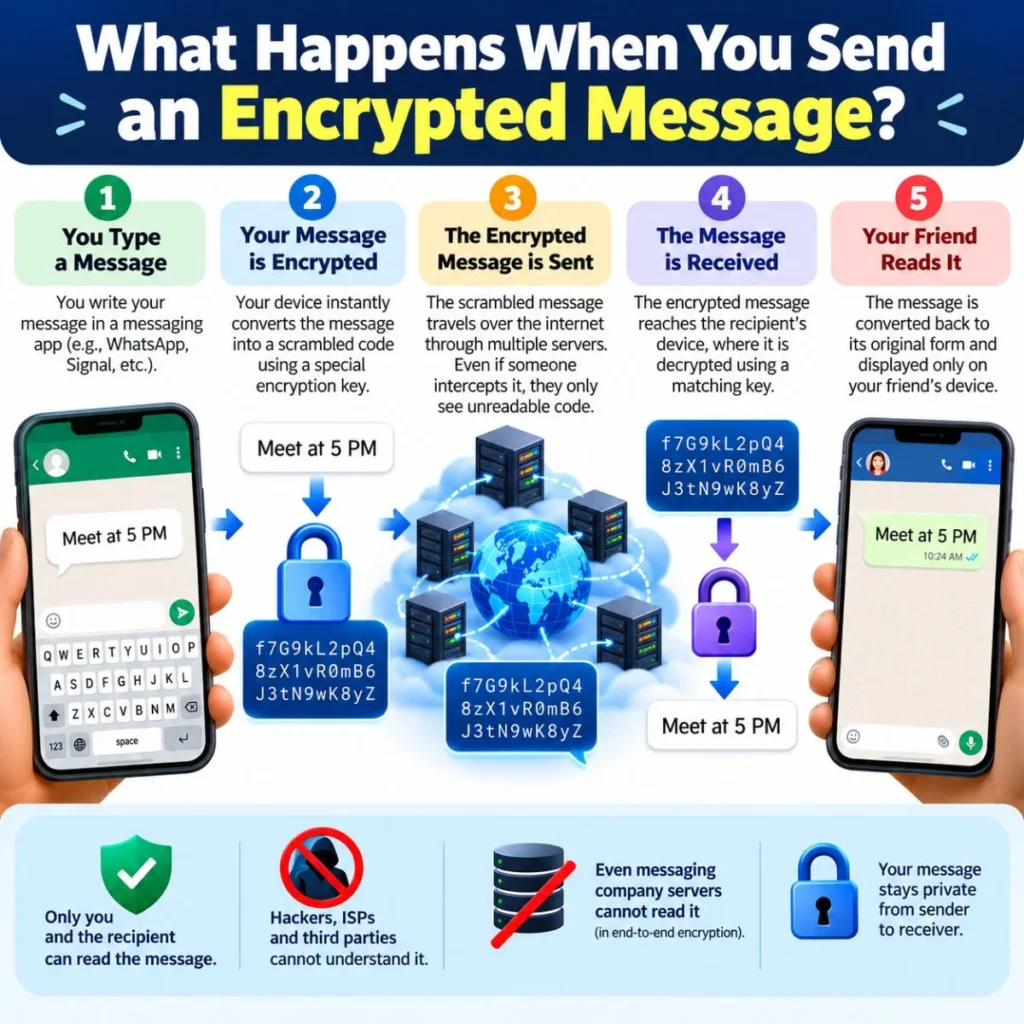
The exact technical process depends on the messaging service, but the basic idea can be explained in a few steps.
1. You write the message
You type something such as:
“Are you home yet?”
Your phone initially has the readable version of that message.
2. The message is encrypted
The messaging system uses cryptographic methods to protect the message.
The readable information is transformed into data that is not intended to be understandable without the appropriate cryptographic keys.
3. The protected message travels through the network
Your message may travel through internet infrastructure or other communication systems before reaching the recipient.
The purpose of encryption is to prevent unauthorized parties from simply reading the message contents during that process.
4. The recipient’s device receives it
The recipient’s device obtains the protected information.
5. The message becomes readable to the recipient
The appropriate cryptographic process allows the recipient’s device to display the original message.
From the user’s perspective, the process looks effortless. You simply send a message and your friend reads it normally.
The complicated mathematics happens in the background.
Does Encrypted Mean Nobody Can Read My Message?
Not exactly.
This is one of the most important distinctions.
If a message is end-to-end encrypted, the encryption is intended to prevent unauthorized parties from accessing the message content while it is being transmitted through the service.
It does not mean that the recipient cannot read it.
The recipient is supposed to be able to read it.
It also doesn’t mean that encryption protects you from every possible privacy problem.
For example, if someone gains access to your unlocked phone, they may be able to view messages that are already available on the device.
Likewise, if you send a private photograph to someone, encryption doesn’t stop that person from taking a screenshot or photographing their screen.
WhatsApp makes this distinction clear in its privacy guidance: once you share a chat, photo, video, file, or voice message with someone, they have a copy and may choose to share it with others.
So it’s helpful to remember:
Encryption protects the communication. It does not control the behavior of the people participating in the conversation.
Does “Encrypted” Mean the Message Is Safe?
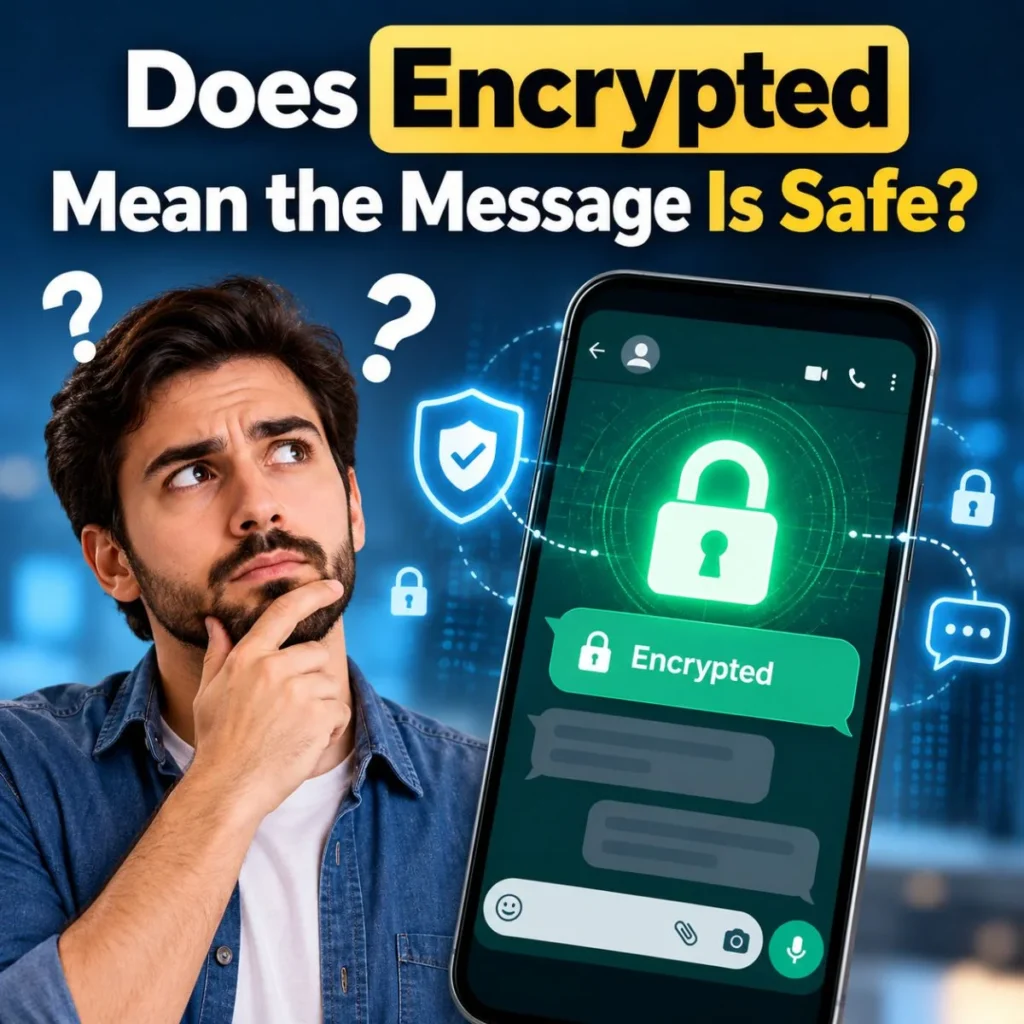
Encryption provides an important layer of protection, but “encrypted” should not automatically be interpreted as “completely safe.”
There are several different security questions to consider.
Is the message encrypted during transmission?
Encryption can help prevent unauthorized interception.
Is the conversation end-to-end encrypted?
This provides a stronger privacy model in which the service provider generally should not be able to read the message content.
Is your account secure?
Strong encryption doesn’t help much if somebody gains control of your account.
Is your device secure?
If someone can access your unlocked phone or computer, encryption of the message while traveling may not protect what is already displayed on the screen.
Can the recipient share the message?
Yes. Encryption cannot prevent the person who receives the message from copying or sharing it.
These distinctions help explain why digital privacy is more complicated than simply seeing the word “encrypted.”
What Does Message Encrypted Mean on WhatsApp?
WhatsApp is one of the places where people commonly encounter encryption notices.
WhatsApp states that personal messages, calls, status updates, and certain other personal communications are protected with end-to-end encryption. It says that only the people involved in the conversation can access the protected content, rather than WhatsApp itself.
In practical terms, if you are having a normal personal WhatsApp conversation and see an encryption-related notice, it generally means the conversation has a security mechanism designed to protect its contents from unauthorized access.
WhatsApp also provides a security code for end-to-end encrypted one-to-one chats. The code can be viewed as a QR code or a 60-digit number and can be compared between participants to verify that the conversation’s security information matches.
Why Does My WhatsApp Security Code Change?
A security code can change for legitimate reasons.
WhatsApp says this can happen when you or your contact:
- Reinstall WhatsApp
- Change phones
- Add a paired device
- Remove a paired device
A changed security code does not automatically mean someone has hacked the conversation.
The notification is there to make you aware that the cryptographic information associated with the chat has changed.
What Does Message Encrypted Mean on iPhone?
On Apple’s Messages app, the situation depends on which messaging system is being used.
iMessage conversations are end-to-end encrypted. Apple identifies iMessage conversations with blue bubbles, while SMS/MMS messages appear as green bubbles.
Apple says iMessage messages are encrypted end-to-end before they are sent, and its security documentation explains that messages are protected using encryption and cryptographic keys associated with receiving devices.
This means that seeing an encryption indicator in an iMessage conversation is different from sending an ordinary SMS.
What About SMS?
Traditional SMS and MMS are not end-to-end encrypted.
Apple’s current support documentation explains that SMS/MMS messages aren’t end-to-end encrypted, meaning they aren’t protected from a third party reading them while they are being transmitted in the same way as an end-to-end encrypted iMessage conversation.
So, in simplified form:
- iMessage: end-to-end encrypted
- SMS/MMS: not end-to-end encrypted
- RCS: encryption capabilities can depend on the service and participating carriers
Apple notes that RCS conversations can be end-to-end encrypted when both the relevant carriers support encrypted RCS.
Encrypted Message vs. Normal Text Message
The difference becomes easier to understand when you compare the concepts.
FeatureEnd-to-end encrypted messageTraditional SMS/MMSMessage content protected during transmissionYesNot end-to-end encryptedIntended recipient can read itYesYesService designed so provider cannot read message contentYes, where E2EE appliesNo equivalent E2EE protectionWorks through cellular SMS infrastructureNo, generally internet-based messagingYesSuitable for private conversationsProvides stronger content protectionProvides less protection
This doesn’t mean that every encrypted messaging system works identically. Different apps use different technologies and security models.
The key takeaway is that end-to-end encryption provides a different privacy model from traditional SMS.
Why Do I See “Messages Are Encrypted”?
An encryption notice may simply be informing you that the conversation has security protection.
Messaging apps may display these notices because users should understand that their communication is protected.
For example, WhatsApp’s privacy documentation describes personal messages and calls as end-to-end encrypted by default.
Apple also uses visual indicators to distinguish encrypted iMessage conversations from SMS/MMS conversations.
So if you suddenly see an encryption message, you don’t necessarily need to assume that something unusual has happened.
It may simply be a security notice explaining how the conversation is protected.
Why Is My Message “Waiting for This Message”?
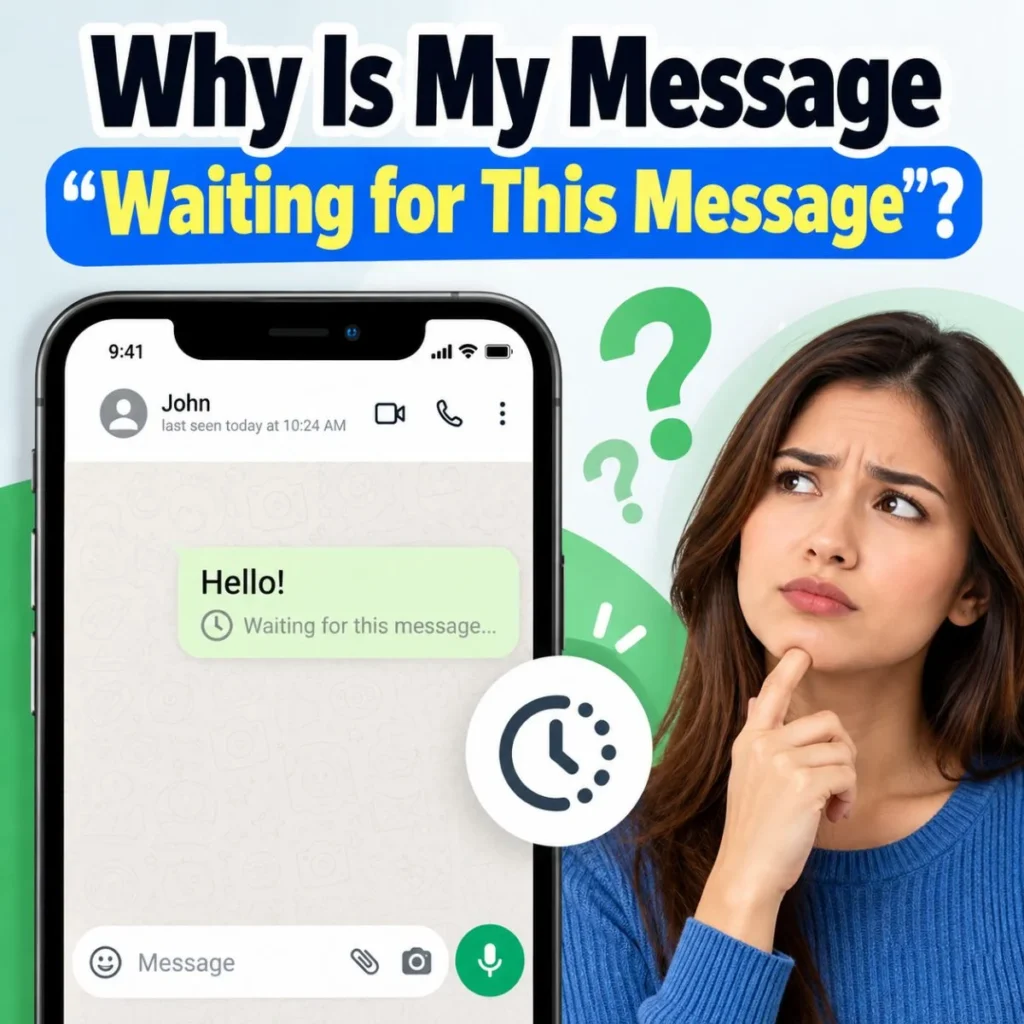
Sometimes users encounter a message that doesn’t immediately appear normally and wonder whether encryption is responsible.
On platforms that use end-to-end encryption, messages depend on cryptographic keys and the participating devices.
Changes such as reinstalling an app, switching phones, or changing linked devices can affect the security information associated with a conversation.
WhatsApp specifically notes that security codes may change after events such as reinstalling WhatsApp or changing phones.
If a messaging app displays a temporary encryption-related warning, the safest approach is to follow that service’s own troubleshooting instructions rather than assuming the account has been compromised.
Can the Messaging Company Read Encrypted Messages?
This depends on the service and the type of conversation.
For WhatsApp personal messages, WhatsApp says the content is end-to-end encrypted and cannot be read by WhatsApp itself.
For iMessage, Apple says message content is protected with end-to-end encryption and that Apple cannot decrypt it.
But there is an important distinction between message content and other information about a service.
Encryption does not necessarily mean that every piece of information associated with your account or communication is invisible to the service.
WhatsApp’s privacy documentation, for example, distinguishes end-to-end encrypted message content from technical information and other account-related information that may be processed by the service.
That’s why “encrypted” should not be interpreted as “the company knows absolutely nothing about the communication.”
Does Encryption Hide My Phone Number or Identity?
Usually, encryption primarily protects content, not necessarily every piece of identifying information.
For example, the people participating in a conversation generally need some way to identify the destination account, phone number, username, or other address.
A secure messaging system may therefore protect the contents of your conversation while still processing certain information required to operate the service.
This distinction is sometimes described as the difference between content and metadata.
Content is what you actually say.
Metadata can include information about the communication, depending on the service—for example, technical routing information or account information.
Apple’s security documentation specifically notes that some metadata associated with iMessage transmission is not encrypted in the same way as the message content.
Does Encryption Prevent Screenshots?
No.
Encryption is not a screenshot-prevention technology.
If someone can legitimately view your message, they may be able to:
- Take a screenshot
- Photograph the screen
- Copy the text
- Forward the message
- Save an attachment
- Share the conversation elsewhere
Some messaging platforms provide additional privacy features designed to limit certain forms of sharing.
For example, WhatsApp’s Advanced Chat Privacy feature can prevent automatic media saving, prevent chat export, and restrict certain Meta AI functions within chats when enabled.
These features are separate from the basic concept of encryption.
Is an Encrypted Message a Secret Message?
Not necessarily.
“Encrypted” describes how information is protected, not what the information is about.
An encrypted message might say:
“Don’t forget to buy milk.”
Or it could contain highly personal information.
The encryption process doesn’t determine whether the message itself is secret, important, romantic, funny, professional, or ordinary.
It simply provides protection for the digital information.
This is why it is better to think of encryption as a security method, rather than as a label meaning “secret message.”
Does End-to-End Encryption Protect Group Chats?
It can.
Modern messaging services can apply end-to-end encryption to group conversations, although the underlying technical implementation can be more complicated than a one-to-one conversation.
WhatsApp states that personal messages are protected by end-to-end encryption and provides security mechanisms for encrypted chats.
Apple’s documentation also explains how iMessage encryption works across multiple receiving devices and for group conversations.
The important point for ordinary users is that encryption isn’t limited to two-person conversations.
However, the exact protections can vary depending on the app, account type, feature, and type of conversation.
What Encryption Does Not Protect You From
Understanding these limitations can make you much smarter about digital privacy.
Someone accessing your unlocked phone
If your phone is already unlocked, a person may be able to read messages displayed on it.
A compromised account
If someone gains control of your account or adds an unauthorized device, encryption alone may not solve the problem.
The recipient sharing your message
The person you’re talking to can potentially copy or share what you sent.
Phishing and scams
Encryption doesn’t automatically tell you whether the person you’re talking to is trustworthy.
Malicious links or attachments
A message can be encrypted and still contain a dangerous link or fraudulent information.
Human error
You can accidentally send sensitive information to the wrong person even when the messaging platform uses strong encryption.
This is why good digital security combines encryption with strong passwords, account protection, device security, software updates, and careful communication.
How to Keep Encrypted Conversations More Secure
Encryption is valuable, but you can take additional steps to protect your conversations.
Use a strong device lock
A strong PIN, password, or biometric lock helps prevent unauthorized physical access to your phone.
Keep your apps updated
Security fixes are frequently delivered through software updates, so avoid running outdated versions unnecessarily.
Protect your account
Use available account-security features such as two-step verification when supported.
Check unexpected security alerts
If your messaging app reports a new device, security-code change, or suspicious login, investigate it rather than automatically dismissing it.
Be careful with links
An encrypted message can still be a scam.
Think before sending sensitive information
Encryption cannot stop the recipient from sharing information after receiving it.
Verify unusual requests
If someone suddenly asks for money, passwords, verification codes, or confidential information, confirm their identity through another trusted method.
Common Examples of Encrypted Messages
Here are some everyday examples of what an encrypted message might look like from the user’s perspective.
A message to a friend
“I’m outside. Come downstairs when you’re ready.”
The message may be protected by end-to-end encryption even though there is nothing particularly sensitive about it.
A family conversation
“Mom’s appointment is at 3 PM tomorrow.”
Again, the message can be encrypted automatically.
A work conversation
“I’ve attached the revised document. Please review it before the meeting.”
The content can be protected while traveling between the devices.
A personal conversation
“Thank you for being there for me.”
The emotional nature of the message has nothing to do with whether it is encrypted. Encryption is about protecting the digital communication.
What Should You Do If You See an Encryption Warning?
Don’t panic.
First, read the exact wording of the notice. Different apps use different messages for different situations.
If it says something like “messages are end-to-end encrypted,” it may simply be explaining that the conversation has encryption protection.
If it says that a security code changed, consider whether you or the other person recently changed phones, reinstalled the application, or changed linked devices. WhatsApp specifically identifies these as reasons a security code may change.
If the app reports an unfamiliar device or suspicious account activity, however, treat that as a security matter and use the platform’s official account-protection tools.
The exact response should always depend on the wording of the warning.
Frequently Asked Questions
What does message encrypted mean in simple words?
It means the message has been converted into protected digital data using encryption so unauthorized parties cannot simply read it. With end-to-end encryption, the message is protected between the communicating devices, with the intended participants able to read the content.
Does encrypted mean my message is private?
It means the message has an important layer of privacy protection, but it doesn’t mean nobody can ever access or share it. The recipient can still read, copy, screenshot, or forward the information. WhatsApp specifically reminds users that recipients can make copies or share content they receive.
Can WhatsApp read encrypted messages?
For personal WhatsApp messages protected by end-to-end encryption, WhatsApp says it cannot read the content of those messages. However, encryption of message content doesn’t mean WhatsApp processes no other account or technical information.
Why did my WhatsApp security code change?
WhatsApp says security codes can change when you or your contact reinstall WhatsApp, change phones, or add or remove a paired device. A code change by itself therefore does not automatically mean someone hacked your account.
Are SMS messages encrypted?
Traditional SMS and MMS are not end-to-end encrypted. Apple’s support documentation distinguishes them from iMessage, which uses end-to-end encryption.
Can an encrypted message still be screenshotted?
Yes. Encryption protects the communication, but it generally cannot prevent a recipient who can view the message from taking a screenshot, photographing the screen, copying the content, or sharing it. Some apps offer separate privacy features to limit certain types of sharing.
Final Thoughts
So, what does message encrypted mean? In simple terms, it means your message is being protected through encryption so its contents aren’t exposed as ordinary readable information to unauthorized parties. When the message is end-to-end encrypted, the protection extends between the people or devices participating in the conversation, and services such as WhatsApp and iMessage describe their applicable personal messaging systems this way.
The most important thing is to understand what encryption does—and what it doesn’t do.
Encryption can help protect your conversations while they’re being transmitted. It doesn’t prevent the recipient from reading them, sharing them, or taking a screenshot. It also doesn’t replace good account security, device protection, or common sense.
If you see an encryption notice in WhatsApp, iMessage, or another messaging app, you generally don’t need to be confused by the technical wording. Think of it as a digital protection system around your conversation.
Your message may look completely ordinary on your screen, but behind that simple “Send” button, sophisticated security technology can be working to keep its contents protected.

Muhammad Sarfraz is a content creator and author at Message Ideas Daily, passionate about creating heartfelt, practical, and meaningful message ideas that help people express their feelings and connect with others.