Maybe you want to wish someone a happy birthday at midnight. Perhaps you need to remind a coworker about an early meeting tomorrow, send a good morning text without waking them up tonight, or remember to check in with a friend at a specific time. Writing the message is easy; remembering to send it at the right moment can be the difficult part.
That’s where scheduled texting can help.
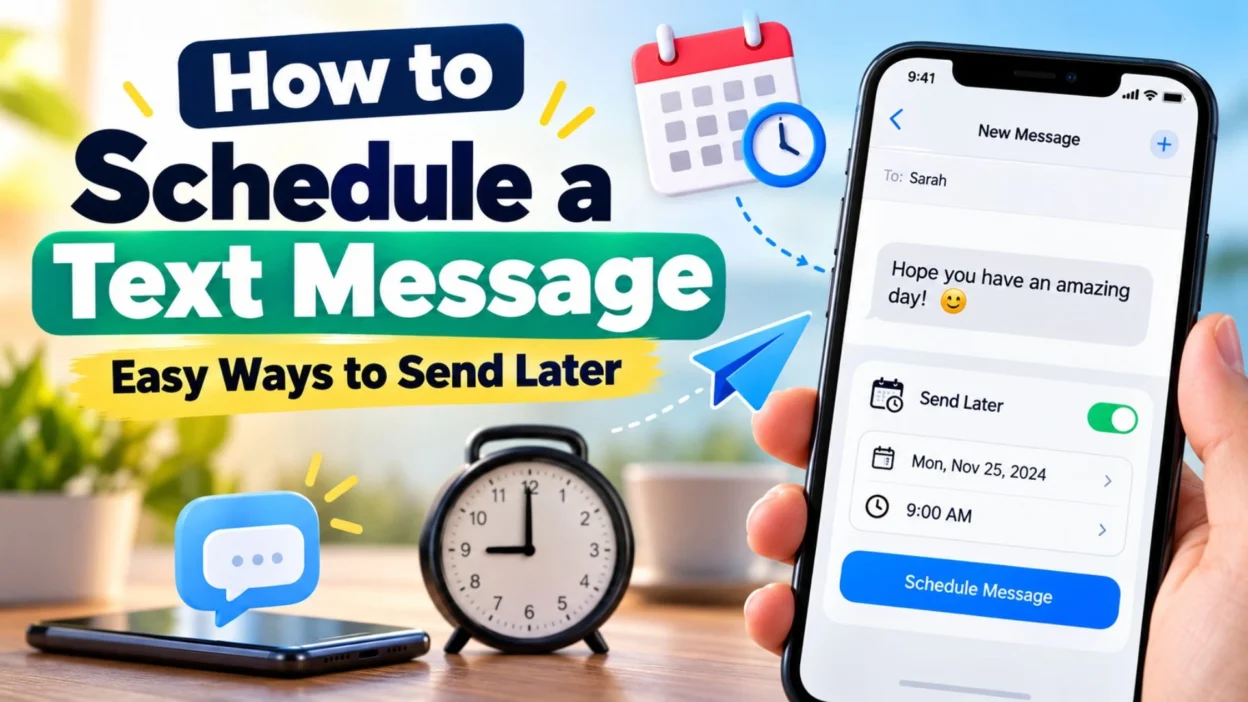
When you schedule a text message, you write it in advance and choose a future time for it to be sent. Depending on the phone and messaging app you use, the process can take only a few taps. Some devices have scheduling built directly into the messaging app, while others may require a compatible messaging service or automation feature.
This guide explains practical ways to schedule texts, what to consider before scheduling one, and how to make scheduled messages feel personal rather than automatic. You’ll also find examples for birthdays, reminders, work, relationships, family, and everyday situations.
What Does It Mean to Schedule a Text Message?
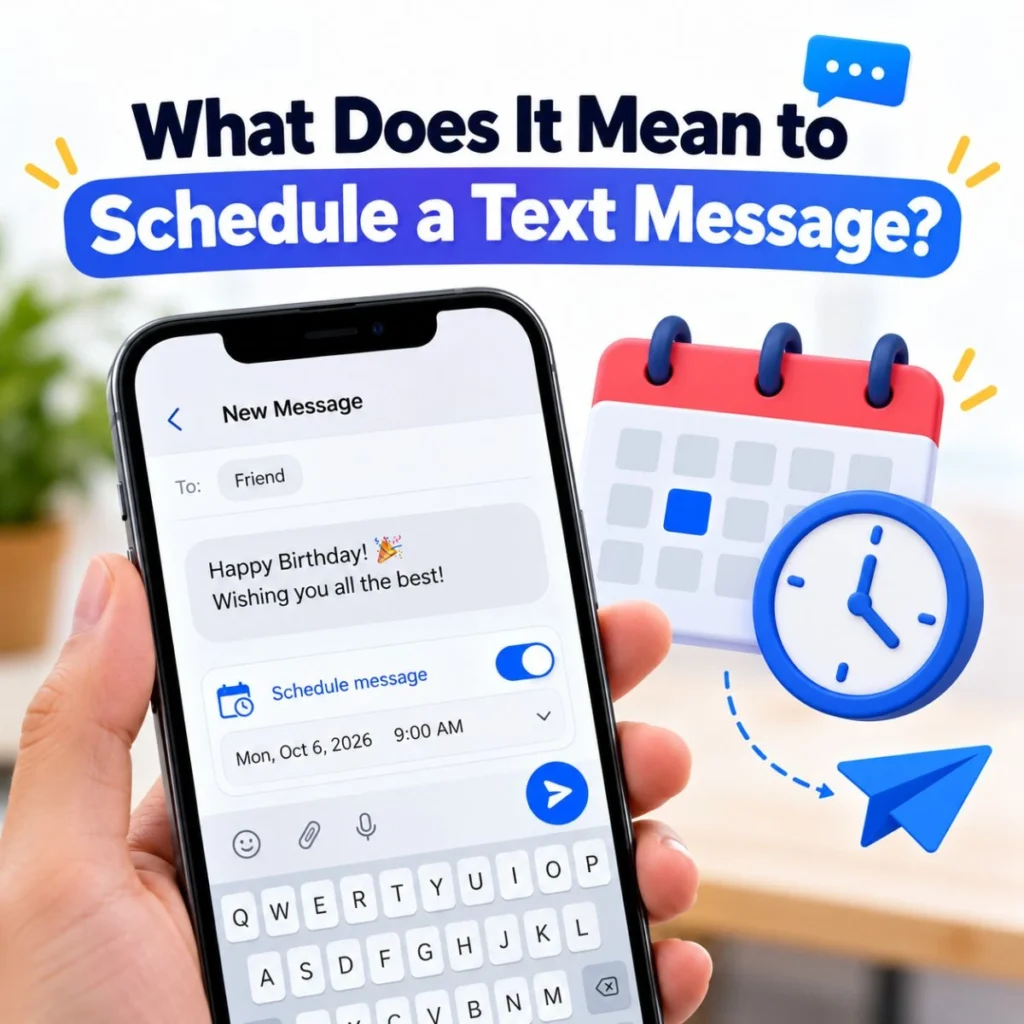
Scheduling a text message means preparing a message now and setting it to send later automatically.
Instead of opening your messaging app at the exact moment you want someone to receive your text, you create the message ahead of time and select a future date or time.
For example, you could write:
- “Happy birthday! I hope you have an amazing day. You deserve every bit of happiness coming your way. 🎂”
- “Just a reminder that our meeting starts at 9:00 tomorrow morning.”
- “Good luck with your presentation today. You’ve got this!”
- “Don’t forget to bring your documents to the appointment tomorrow.”
Then, rather than pressing the normal send button immediately, you choose a scheduling option and select when you want the message delivered.
The exact steps vary by device and messaging application. Modern smartphones may offer scheduling directly inside the messaging app, while other setups use automation or third-party services.
The biggest advantage is simple: you can think about the message now without having to remember to send it later.
How to Schedule a Text Message on Android
Many Android phones use Google Messages or another manufacturer-specific messaging application. The exact appearance can vary depending on your phone model, Android version, and messaging app.
If your messaging app supports scheduled sending, the general process is straightforward.
General steps for Android
- Open your messaging app.
- Open an existing conversation or start a new one.
- Type the message you want to send.
- Look for the send button or an option associated with sending.
- If scheduling is supported, choose the scheduled-send option.
- Select the date and time.
- Review the message and scheduled time.
- Confirm the schedule.
Your message should remain in the conversation until the scheduled sending time.
Before relying on a scheduled message for something important, it’s worth checking that the scheduling feature is actually available on your particular phone and messaging app. Android devices can have different interfaces, so instructions that work on one phone may look slightly different on another.
Why Android scheduling is useful
Scheduled texting can be particularly helpful when your day is unpredictable.
Suppose you remember at 11:30 p.m. that your friend has an important interview tomorrow. You don’t necessarily want to send the message immediately. Instead, you can prepare:
- “Good luck tomorrow! I know you’ve worked hard for this. Go in confident and do your thing. 🙌”
Schedule it for a reasonable morning time, and you don’t have to remember to send it when you wake up.
The same idea works for appointments, work reminders, family events, birthdays, and personal check-ins.
How to Schedule a Text Message on iPhone
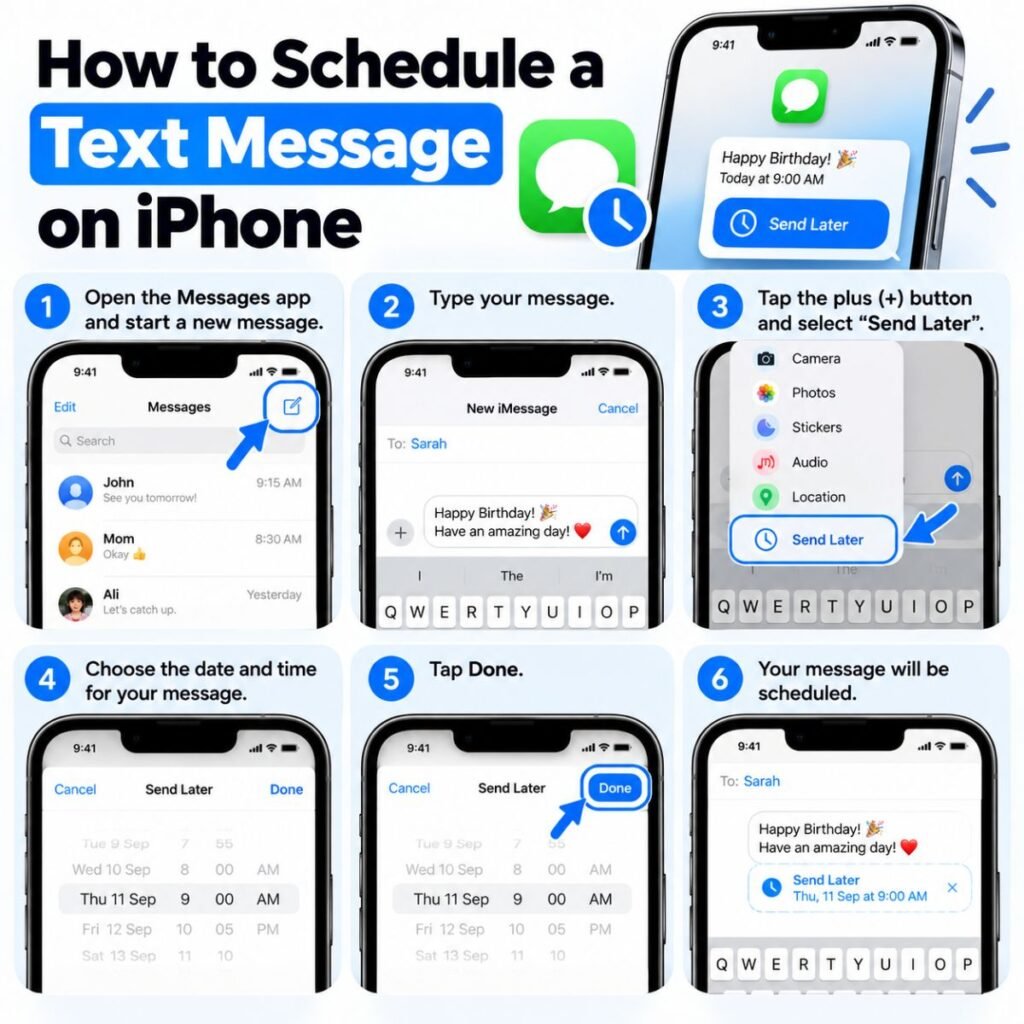
The process on an iPhone depends on the messaging features available in your current iOS version and whether you’re sending through Apple’s Messages service or another messaging application.
If your Messages app provides a scheduling feature, the basic workflow is similar to other devices:
- Open Messages.
- Select the conversation or create a new one.
- Write your message.
- Look for the option to schedule or send later.
- Choose the desired date and time.
- Confirm the scheduled message.
Apple has changed messaging features across iOS releases, so menu names and available options can differ between versions.
If your iPhone does not show a native scheduling option for the type of message you’re trying to send, you may need to use another supported method, such as an automation or a messaging service that provides scheduled sending.
Check the message before scheduling
A scheduled text can be easy to forget once you’ve created it. Before confirming, check:
- The recipient
- The wording
- The date
- The time
- AM or PM
- Any links or attachments
- Whether the message is appropriate for that time
This is especially important for professional messages. A thoughtful message sent at the wrong hour can create a very different impression from the same message sent at an appropriate time.
100+ Schedule-Friendly Text Messages You Can Send Later
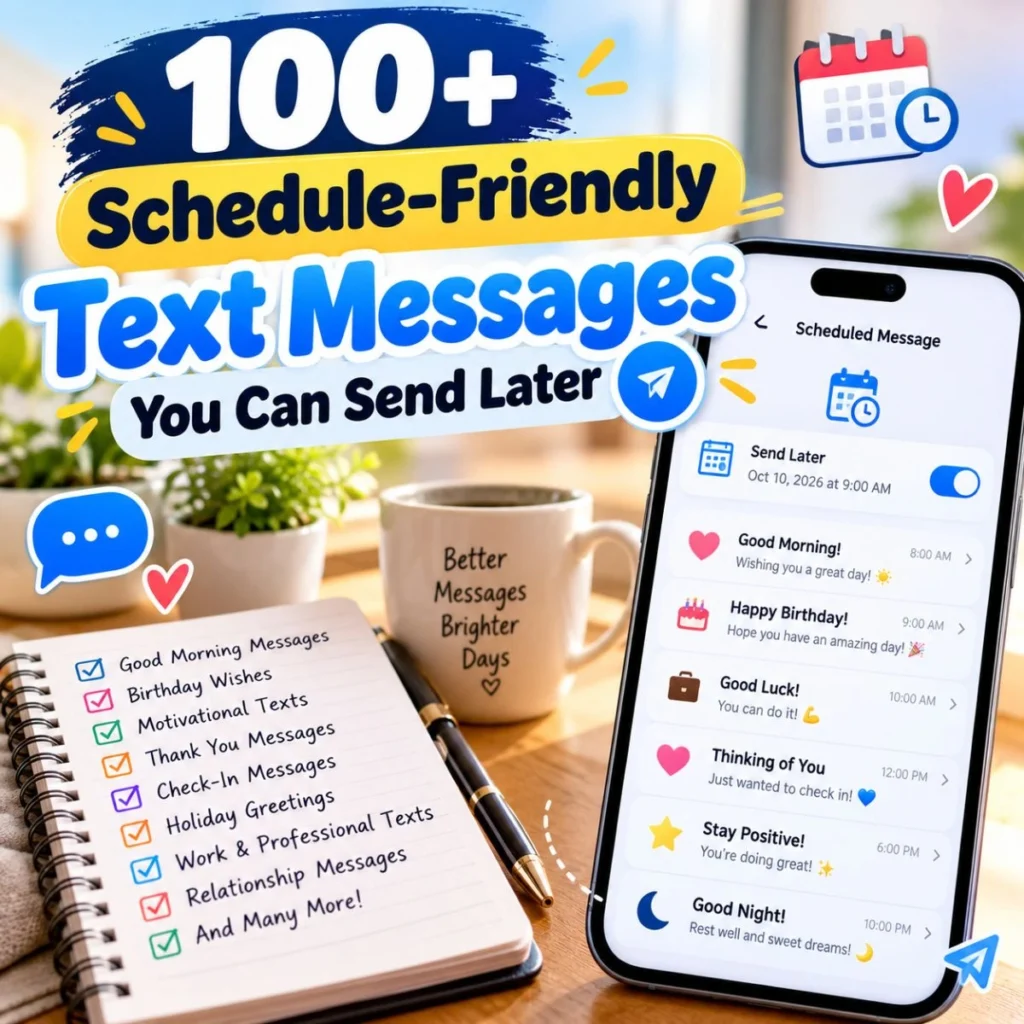
Scheduling works best when the message has a clear purpose. The following examples can help you create something natural without spending too much time writing from scratch.
Birthday Messages
Birthdays are one of the easiest occasions to plan ahead for. You can write the message earlier and schedule it for the morning or another meaningful time.
- Happy birthday! I hope today brings you plenty of reasons to smile and a year full of beautiful moments. 🎂
- Wishing you the happiest birthday and an amazing year ahead. Enjoy every moment of your special day!
- Happy birthday! May this new chapter bring you peace, success, laughter, and everything you’ve been hoping for.
- Hope your birthday starts beautifully and only gets better from there. Have an incredible day!
- Another year, another collection of memories waiting to be made. Happy birthday! 🥳
- Sending you birthday wishes a little early in my schedule, but right on time in my heart. Have a wonderful day!
- Happy birthday to someone who makes life brighter simply by being around. I hope today reminds you how appreciated you are.
- May your birthday be filled with good food, great company, unexpected happiness, and lots of laughter.
Good Morning Messages
Scheduling a morning message can be useful when you want someone to wake up to an encouraging thought.
- Good morning! I hope today brings you calm moments, good news, and plenty of reasons to smile. ☀️
- Rise and shine! Whatever today brings, take it one step at a time and believe in yourself.
- Good morning! Just a little reminder that you’re capable of more than you sometimes realize.
- Hope you slept well. Wishing you a peaceful morning and a genuinely good day ahead.
- New day, fresh start. Leave yesterday where it belongs and make today count.
- Good morning! I hope something unexpectedly wonderful finds you today.
- Sending a little positivity your way before your day gets busy. You’ve got this!
- Morning! Don’t forget to take a breath, enjoy the little things, and give yourself some credit.
Romantic Messages

A scheduled message can be especially meaningful in a relationship when it reflects something specific about the person.
- Just wanted you to wake up knowing that someone is thinking about you and hoping your day goes beautifully. ❤️
- I may not be beside you right now, but I hope this message reminds you that you’re never far from my thoughts.
- Good morning, love. I hope today is gentle with you and gives you plenty of reasons to smile.
- No special occasion needed—I just wanted you to know how much you mean to me.
- If today gets stressful, remember that you have someone cheering for you every step of the way.
- I hope you find little moments today that make you think of us and smile.
- Some days need a reminder, so here’s mine: I’m grateful you’re part of my life.
- Sending you a little love before the day gets started. Have a beautiful one. ❤️
Messages for Friends
Friendship messages don’t have to sound overly emotional. A simple, genuine check-in can be enough.
- Just checking in to say I hope you’re doing well. Don’t forget to take care of yourself.
- Hope your day goes smoothly! And yes, I’m still expecting that coffee you promised. 😂
- Random reminder: you’re doing better than you think. Keep going.
- Hope something good happens to you today. You deserve a win.
- Just wanted to say thanks for being the kind of friend I can always count on.
- Whatever you’re dealing with today, remember you don’t have to figure everything out at once.
- Sending this because good friends deserve random messages for no particular reason.
- Hope today gives you at least one story worth telling me later.
Family Messages
Family texts often work best when they sound warm and personal rather than overly polished.
- Good morning! Hope everyone has a peaceful and happy day ahead.
- Just checking in and sending some love your way. Take care of yourself today.
- Don’t forget to rest when you need to. Work can wait; your well-being matters too.
- Thinking of you today and hoping everything goes smoothly.
- Family is one of those things you appreciate more and more with time. Just wanted to say I love you.
- Hope you’re having a good day. Call me when you get a chance!
- Sending a little reminder that you’re loved, appreciated, and always part of the family.
- Take care today. And please remember to eat something before getting too busy!
Work and Professional Messages

Scheduled messages can help with professional reminders, follow-ups, and planned communication. Keep these concise and respectful.
- Good morning. Just a quick reminder about our meeting scheduled for today at 10:00 a.m.
- Hi, just following up on the information we discussed earlier. Please let me know when you have a chance to review it.
- Good morning. I hope you’re doing well. I’m looking forward to our discussion today.
- Just a reminder that the deadline is approaching. Please let me know if you need anything from my side.
- Thank you for your time yesterday. I appreciated the conversation and look forward to staying in touch.
- Good morning. I wanted to follow up regarding our previous conversation and see whether there are any updates.
- Wishing you a productive day. Please feel free to reach out if you need anything.
- Just checking in as planned. I hope everything is progressing smoothly on your end.
Encouraging Messages
A scheduled encouragement can arrive at exactly the moment someone needs it.
- Whatever happens today, don’t let one difficult moment convince you that the whole day is lost.
- Keep going. Progress doesn’t always look impressive while you’re making it.
- You don’t have to have everything figured out today. Just take the next step.
- Trust the work you’ve already put in. Now give yourself a chance to see what you’re capable of.
- One difficult day doesn’t erase all the progress you’ve made.
- Take a breath, reset, and keep moving. You’ve handled hard things before.
- Don’t compare your chapter to someone else’s. Focus on the page you’re writing today.
- You’re allowed to move slowly and still be moving forward.
Reminder Messages
Scheduling is particularly practical for reminders because the entire point is remembering something at the right time.
- Don’t forget your appointment tomorrow morning.
- Reminder: bring your charger before leaving home.
- Just a heads-up that the payment is due tomorrow.
- Don’t forget to call Mom when you get a chance today.
- Reminder to pick up the documents before heading home.
- Your meeting starts in an hour. Hope everything goes smoothly!
- Don’t leave without checking the list one more time. Future you will appreciate it.
- Quick reminder: tomorrow’s schedule starts earlier than usual.
Funny Scheduled Messages
Humor can make an ordinary scheduled text much more memorable.
- Future you requested this message because present you apparently cannot be trusted to remember things. 😂
- Congratulations! You have received a message from your past self. Please act accordingly.
- This message was scheduled because apparently remembering things naturally was too ambitious.
- Your future self would like to remind you that you absolutely knew about this in advance.
- If you’re reading this, congratulations—you successfully made it to the scheduled moment.
- Please consider this your official reminder to stop pretending you’ll remember later.
- I scheduled this because my memory and I are currently not on speaking terms.
- Important announcement from yesterday’s version of me: don’t forget the thing.
How to Choose the Right Time for a Scheduled Text
Scheduling a message isn’t only about selecting a date. Timing affects how your message feels.
A birthday greeting scheduled for 8 a.m. may feel thoughtful. The same greeting sent at 3 a.m. could feel careless, even if the wording is perfect.
Consider the recipient’s routine before choosing a time.
For personal messages
Morning messages can work well for birthdays, encouragement, and supportive notes. Evening messages may be better for checking in or having a relaxed conversation.
Avoid scheduling non-urgent messages during very late or very early hours unless you know the recipient is comfortable receiving texts then.
For professional messages
Normal working hours are usually the safest choice. If you’re communicating across time zones, double-check the recipient’s local time.
A scheduled message can help you work according to your own schedule without forcing someone else to receive your communication at an inconvenient hour.
For reminders
Send the reminder early enough to be useful.
For example, if someone needs to bring a document to a 9 a.m. appointment, sending a reminder at 8:55 a.m. may be technically on time but practically useless.
How to Personalize a Scheduled Text
The biggest weakness of scheduled messages is that they can sometimes sound generic.
Fortunately, personalization is easy.
Instead of:
“Good luck today!”
Try:
“Good luck with your presentation today! You’ve put so much work into it, and I know you’ve prepared well.”
The second message works because it refers to a real situation.
You can personalize a scheduled text by adding:
- The person’s name
- A specific event
- A shared memory
- Something they’re currently working toward
- A private joke
- A meaningful compliment
- A specific reminder
- A detail that shows you were paying attention
Even one specific detail can make a short message feel genuinely written for the recipient.
Keep the wording natural
Don’t make every scheduled message sound like a greeting card.
If you normally text casually, write casually. If you use humor with a particular friend, keep that personality in the message. The goal is not to make the text perfect; it’s to make it sound like you.
When Should You Schedule a Text Instead of Sending It Immediately?
Scheduling is useful when timing matters but immediate delivery doesn’t.
Good examples include:
- Birthday wishes
- Appointment reminders
- Meeting reminders
- Morning encouragement
- Event reminders
- Follow-up messages
- Work-related communication
- Planned check-ins
- Travel reminders
- Anniversary messages
- Holiday greetings
- Messages you don’t want to forget
It may not be necessary for ordinary conversations where the other person is actively waiting for your response.
If someone has asked you a question and needs an answer now, scheduling a response for later could create unnecessary confusion.
Think of scheduling as a tool for managing timing, not as a replacement for normal conversation.
Common Mistakes When Scheduling Text Messages
A scheduled message can solve one problem while creating another if you don’t review it carefully.
Choosing the wrong recipient
Always check the conversation before scheduling. This is especially important when several contacts have similar names.
Selecting the wrong date
A message intended for tomorrow can accidentally be scheduled for today or a different date.
Mixing up AM and PM
This is one of the easiest mistakes to make with time-based messages. Always review the final schedule.
Forgetting time zones
If you’re traveling or communicating internationally, make sure you understand which local time the scheduling system uses.
Scheduling a message too early
A reminder should arrive when it is useful. A reminder several days before an event may be forgotten again.
Not reviewing the wording
Read the final message once before scheduling it. Autocorrect, missing words, and accidental typos are much harder to notice after you’ve moved on.
Assuming scheduling guarantees delivery
Scheduling controls when your phone or messaging service attempts to send a message. Actual delivery can depend on connectivity, the messaging service, device settings, account status, and other technical factors.
For an important communication, don’t assume that scheduling alone guarantees that the recipient will receive and read the message.
How to Make Scheduled Messages Feel Less Automatic
There’s nothing wrong with scheduling a message. The difference is whether the message feels thoughtful.
A useful approach is to write it at a moment when you genuinely have the person in mind.
For example, don’t simply schedule:
“Have a great day!”
If you’re messaging someone before an important exam, try:
“Your exam is today! Take your time, read each question carefully, and trust what you’ve studied. I’m rooting for you.”
That takes only a few extra seconds to write, but it communicates much more.
Another simple technique is to include a detail that could only apply to that person.
Instead of:
“Happy birthday! Enjoy your day!”
Try:
“Happy birthday! I hope you get your favorite cake, avoid all unnecessary drama, and finally get that relaxing day you’ve been talking about.”
Personal details make scheduled messages feel intentional rather than automated.
Frequently Asked Questions
Can I schedule a text message to send later?
Yes. Many modern messaging apps and devices provide some form of scheduled sending, although the exact feature depends on your phone, operating system, messaging app, and message type. If your normal messaging app does not offer scheduling, you may need to use another supported method.
Can I schedule a text message on both iPhone and Android?
Scheduling capabilities are available on many iPhone and Android setups, but the steps and available features differ. Check the messaging app you currently use because the scheduling option may depend on the app and software version.
Will a scheduled text send if my phone is offline?
It depends on how the scheduling feature works. Some scheduled messages rely on the device being available and connected when the message is due, while other services may handle the scheduled delivery differently. For an important message, check how your particular app handles scheduled sending.
Can I edit a scheduled text before it sends?
Many scheduling systems allow you to review, edit, reschedule, or cancel a scheduled message before delivery. The available controls depend on the messaging app. Look for the scheduled message in the relevant conversation and check the available options.
What is the best time to schedule a text?
There isn’t one universal time. Choose a time that makes sense for the recipient and purpose. Morning may work for encouragement or birthday wishes, while normal business hours are generally more appropriate for professional communication. Consider the recipient’s routine and time zone.
Can scheduled texts be used for reminders?
Absolutely. Reminders are one of the most practical reasons to schedule a text. You can prepare reminders for appointments, meetings, deadlines, errands, birthdays, travel plans, and other events. Just make sure the reminder arrives early enough to be useful.
Final Thoughts
Knowing how to schedule a text message can make everyday communication easier without making it less personal. The real benefit isn’t simply sending a message automatically; it’s giving yourself the ability to think ahead.
You can write a birthday wish when you remember it, schedule a reminder before a busy day begins, encourage a friend before an important event, or prepare a professional follow-up without worrying that you’ll forget later.
The best scheduled texts still sound like you. Add a name, mention a real situation, include a shared joke, or explain why you’re thinking about the person. A few personal words can turn a basic scheduled message into something meaningful.
Before confirming any scheduled text, take a moment to check the recipient, wording, date, time, and time zone. That small review can prevent most common mistakes.
Whether you’re planning a thoughtful birthday greeting, a simple reminder, a romantic note, or a professional follow-up, scheduling gives you one valuable advantage: you can be intentional about when your words arrive. Sometimes, the right message at the right moment is all someone needs to make their day a little better.

Muhammad Sarfraz is a content creator and author at Message Ideas Daily, passionate about creating heartfelt, practical, and meaningful message ideas that help people express their feelings and connect with others.